Translate Discord voice calls.
Across any server or channel.
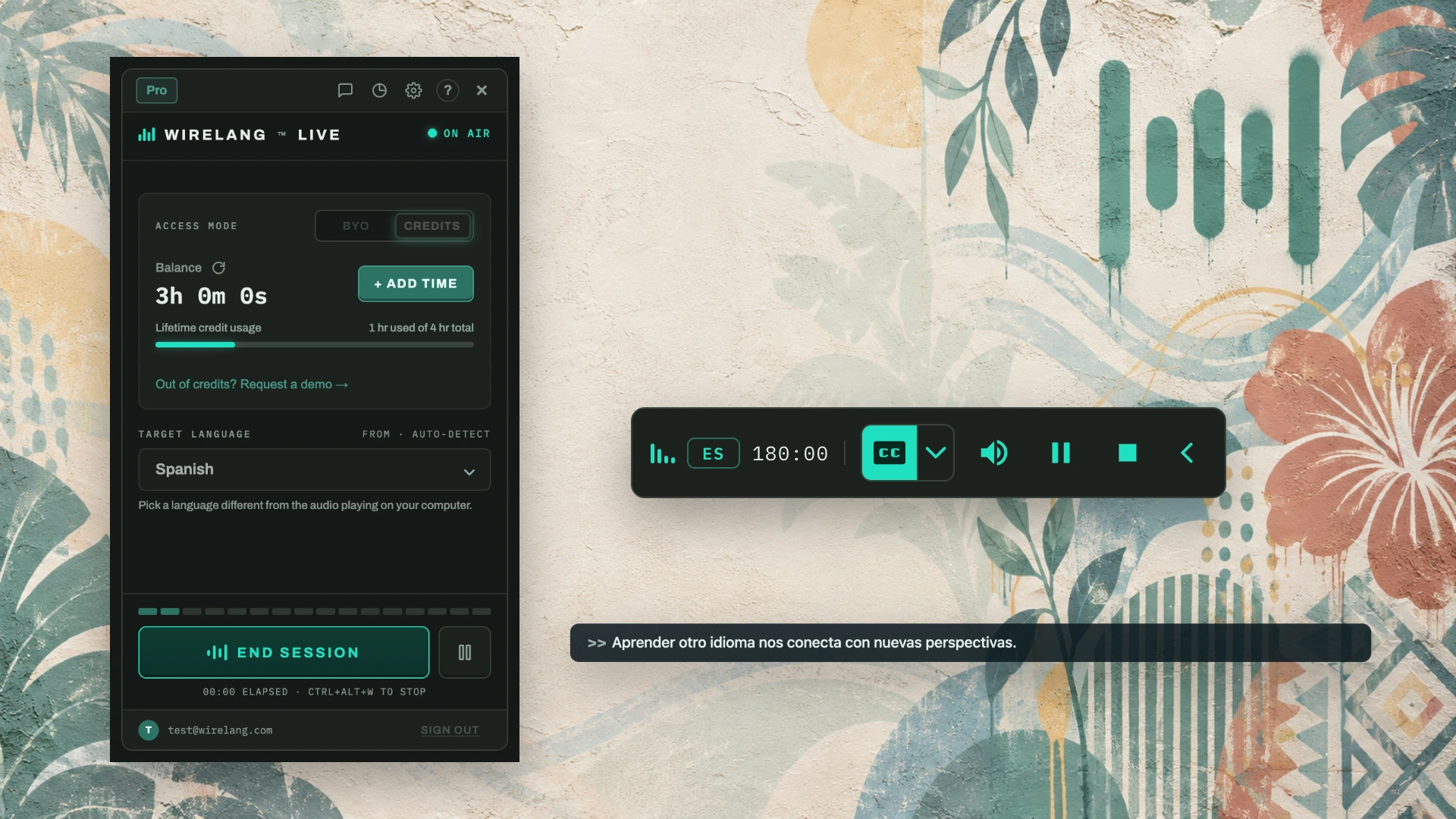
Discord does not offer built-in voice translation. WireLang™ Live captures voice channel audio playing on your computer and translates it into your headphones while people talk, without requiring bots or server permissions.
FOR INTERNATIONAL SERVERS · GAMING SQUADS · COMMUNITY CALLS · LANGUAGE EXCHANGE
Built for fast voice channels
Fast, informal banter is hard to follow in a second language. WireLang streams translated audio in real time so you stay aligned with the group.
No bots or permissions
Bots require invites, special roles, and server admin trust. WireLang runs locally on your machine and works across every server you join.
Sub-second streaming
Simultaneous speech streaming delivers translation in under one second, keeping you up to speed during active discussions and gaming callouts.
Private headphone audio
Translation audio plays only in your headphones. Other participants hear normal channel audio without interruption.
Set up translation for a Discord call
- Install WireLang™ Live for Windows or macOS and sign in.
- Join a Discord voice channel and use headphones to keep translated audio out of your microphone.
- Select the Discord audio source in WireLang and choose the language you want to hear.
- Start translation while someone speaks. Adjust the original and translated audio volumes to suit you.
WireLang translates incoming audio for you. It does not translate your outgoing microphone for other participants. Overlapping voices and background noise can reduce accuracy.
Use translation credits to get started, or set up your own Gemini key with BYO Annual. Google usage is billed separately. Compare current prices.
If nothing plays, check the source app, output device and language settings. See the help center for troubleshooting.
Frequently asked questions
Does Discord have built-in voice translation?
No. Discord does not provide real-time translation in voice channels or calls. WireLang translates spoken Discord audio from your computer and plays the translated speech directly to your headphones.
Do I need to invite a bot to the server?
No. WireLang runs as a local desktop app rather than a Discord bot. It works across any server or private direct call without server invites, role assignments, or admin setup.
Will it translate while people keep talking over each other?
WireLang streams simultaneous translation with sub-second latency to follow active conversations. When multiple people talk at the exact same time, it prioritizes whichever speaker is clearest and most prominent.
Can the other people in the channel hear the translation?
No. The translation plays only to you in your headphones. Other channel members hear standard Discord voice audio, and your outgoing microphone is untouched.
Does it work for game audio and streams too?
Yes. WireLang translates any audio output on your computer, including Twitch streams, YouTube videos, game dialogue, and calls on Zoom or Microsoft Teams.
Try WireLang in your next Discord channel
Install WireLang and test it with a voice call. Eligible new accounts receive 10 minutes of translation credits while the trial offer is available.
Also translating Zoom calls, Teams meetings, YouTube videos, and online courses.